Rebuilding a design system for a dark theme
The business decided to pivot the brand to dark mode, but the design system had no way to support a theme. I restructured it around semantic tokens, then used Claude and the Figma API to migrate 120+ screens to the dark theme, one module at a time.
Key contributions
- Added a semantic token layer, so one set of tokens can theme both the dark app and the light web
- Restructured and reviewed the component library, with generated docs and an audit plugin to keep it consistent
- Used Claude and the Figma API to migrate 120+ screens to the dark theme in batches by module, then reviewed every batch for colour, since dark often needs different choices than light
Context & problem
When the business repositioned the Collect2Day brand around a dark theme, the existing design system had no foundation to support the change.
The Problem
- No semantic token layer. Components referenced primitive colours such as
N100directly - No theming architecture. Colour could not be switched from a single source
- No component structure. Everything sat on one page, patterns were mixed in with components, and similar components existed as 2–3 separate copies instead of variants
Goals
- Establish a token architecture that lets developers implement the app theme from tokens
- Deliver the dark theme without altering existing layouts
Restructuring the system
The project ran in five steps. The first three rebuilt the system, and the last two migrated the app to the dark theme.
Semantic tokens
I added a layer between components and the palette. A component now references a role, such as bg-canvas or text-primary, instead of a palette colour such as N100. Each token resolves to a primitive, so developers can implement the app theme from tokens. The set spans four groups: background, text, icon and border.
I considered adding a component-level layer on top. With the timeline and the size of the library, two layers were enough, so I left it out.
| Semantic token | Primitive | Value |
|---|---|---|
bg-canvas | neutral/900 | #0B0D12 |
bg-surface | alpha/white-alpha-08 | #FFFFFF 8% |
bg-brand | primary/500 | #FF6022 |
text-primary | neutral/50 | #F9FAFB |
text-secondary | neutral/200 | #A2A9B3 |
text-brand-strong | primary/200 | #FFC0A3 |
border-default | neutral/600 | #363D49 |
border-subtle | alpha/white-alpha-16 | #FFFFFF 16% |
Component restructure
The old library sat on a single page of the design file, with no categories. Patterns were stored as components, and similar components, such as product info and product cards, had been built as 2–3 separate components instead of one with variants. I sorted the library into categories, moved patterns out, and merged the duplicates into variant sets.
Component review
I reviewed every component in the library and fixed three kinds of issues:
| Issue | Fix |
|---|---|
| Colours not bound to a token | Auto-fixed with Design Review, the audit plugin below |
| Missing states | Built the missing states |
| Inconsistent naming | Collected every name, worked out naming rules, and aligned the library to them |
Generated component docs
I built a Figma plugin that generates a table of every variant, with a live instance in each cell. Because it's generated from the library, it stays up to date.
An audit plugin in Figma
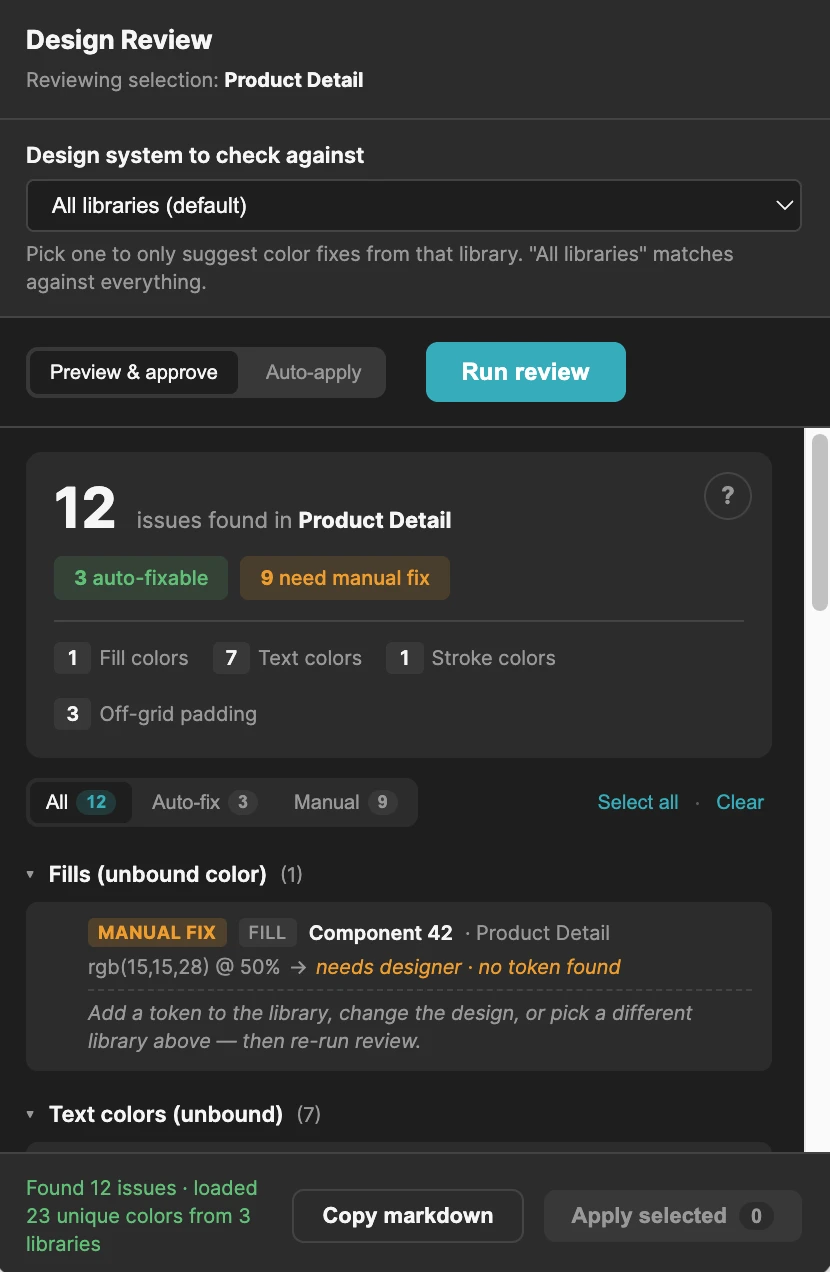
To stop the library drifting back, I built Design Review, a Figma plugin that checks a selection against the design system. Exact matches are fixed in one click, and anything without a matching token is flagged for a designer.
| Check | Auto-fix |
|---|---|
TEXT nodes with no text style | Yes — exact family + size + weight match only |
Non-text SOLID fills with no bound variable | Yes — exact RGB match only |
| Text with a style but a raw hex fill | Yes |
| Strokes with no bound variable | Yes |
| Padding / spacing off a 4px multiple | No — flagged only, my call |
Dark theme
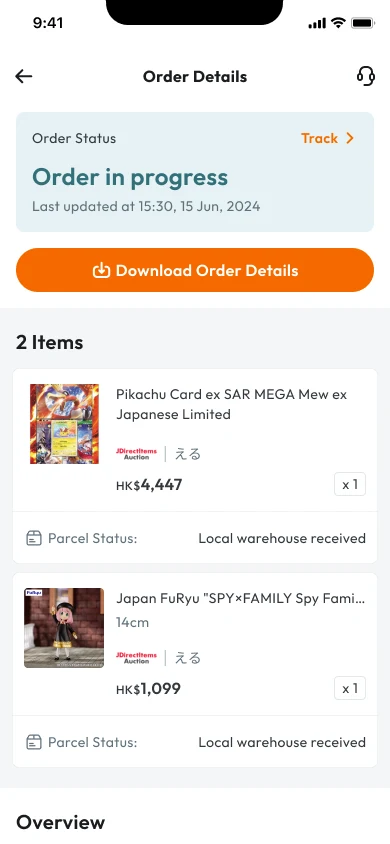
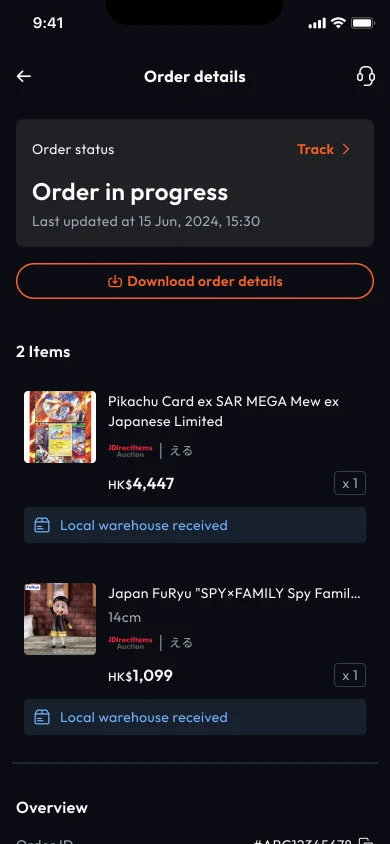
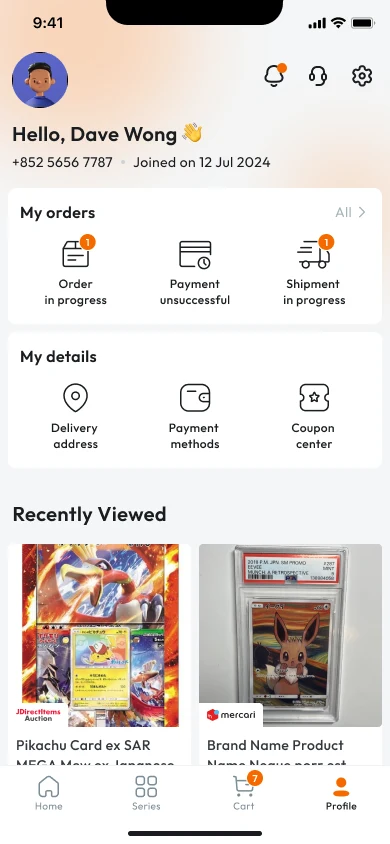
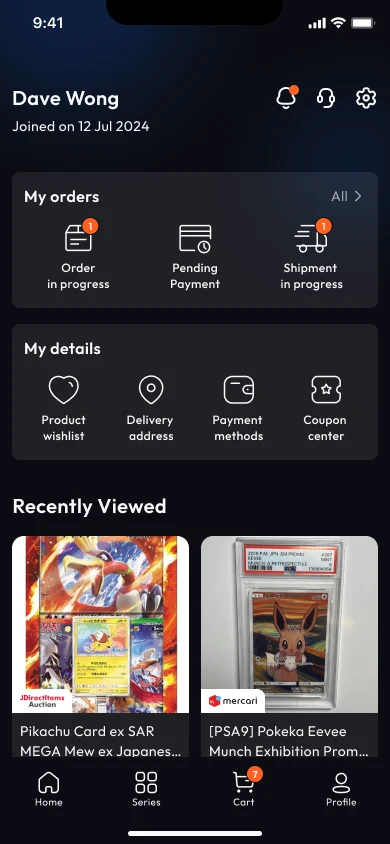
I split the 120+ screens by module and used Claude with the Figma API to update each module in bulk: 1.5 weeks, against about 3 by hand. The most common miss was a missing token or text style, since the old colours had no semantic meaning. Catching those was the main job in each module's review.
The palette changed too:
Reviewing the colours
Dark isn't light with the colours flipped. On near-black, a thin border no longer lifts a card, so I used a three-step surface scale of white at 4%, 8% and 12%. The higher the layer, the lighter it gets:
bg-surface-subtle white 4% · bg-surface white 8% · bg-surface-strong white 12%
Solid tag fills were too loud on dark. Status labels now sit on a neutral surface with coloured text, and category tags use a 12% tint:
Outcome
- Shipped the dark theme across all 120+ app screens
- The same tokens now theme both the dark app and the light web
- Migrated the screens in 1.5 weeks with Claude, half the 3 weeks it would have taken by hand
- The front-end engineer now builds the theme from Figma variables and JSON, not individual colour values
- Replaced a single unsorted page with a categorised library, with duplicate components merged into variants
- Unbound colours are now caught and auto-fixed by the audit plugin
What I learned
Token layers are a trade-off between time, resources and complexity. For C2D, primitives plus one semantic layer were enough. And colour has to be judged in use, on both light and dark.